| Author |
 Topic Topic  |
|
|
FrenchBOSS
Bronze Member

France
68 Posts |
 Posted - 06/24/2009 : 00:57:53 Posted - 06/24/2009 : 00:57:53


|
Hello,
i've a little problem, i've got an old barcus berry from the 70's, i've had it for many years, but i didn't use it since a long time, because i lost the "captor"
And as the barcus was given to me, i don't know exactly what model it is, and so i need a new captor, but i don't know exactly what to look for, can you help me please?
 |
Edited by - Dr. Bob on 06/25/2009 09:41:24 |
|
|
FrenchBOSS
Bronze Member
France
68 Posts |
Posted - 06/24/2009 : 01:03:37
|
quote:
Originally posted by FrenchBOSS
Hello,
i've a little problem, i've got an old barcus berry from the 70's, i've had it for many years, but i didn't use it since a long time, because i lost the "captor"
And as the barcus was given to me, i don't know exactly what model it is, and so i need a new captor, but i don't know exactly what to look for, can you help me please?
EDIT i tried to put a picture, but i didn't manage to send it, could you tell me how to do please?
Image display code added by Moderator.
FrenchBOSS, click on the edit icon, & you will see the HTML code snippet.
Copy this to a safe place, & next time you need it, just change the file name.
I did not include your first file, it was over 776K
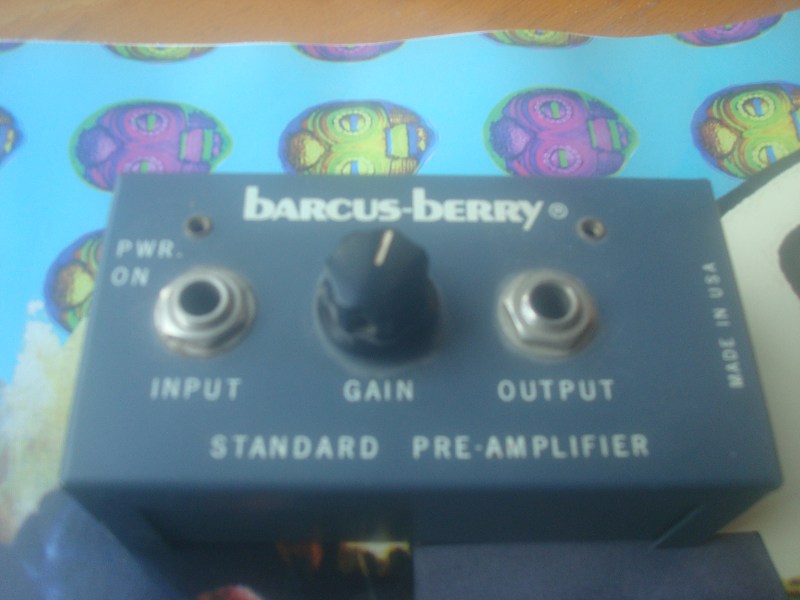
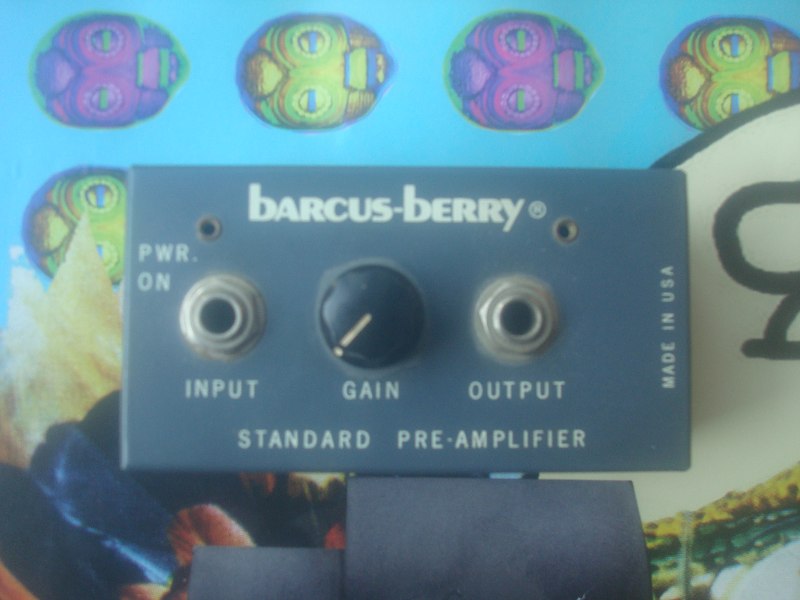
|
Edited by - Dr. Bob on 06/24/2009 09:15:50 |
 |
|
|
FrenchBOSS
Bronze Member
France
68 Posts |
Posted - 06/24/2009 : 15:08:09
|
Thanks DrBob, the 1st one was a mistake, it's the same as the second one but bigger, so it's ok
Istill don't understand how you managed to insert the pictures but thanks anyway |
|
|
|
FrenchBOSS
Bronze Member
France
68 Posts |
Posted - 06/24/2009 : 15:13:39
|
|
|
|
|
FrenchBOSS
Bronze Member
France
68 Posts |
Posted - 06/24/2009 : 15:18:29
|
quote:
Originally posted by FrenchBOSS
 I tried to add 2 more pictures and didn't manage to do it I tried to add 2 more pictures and didn't manage to do it
Please DrBob, could you insert them for me? (they're the last ones ) )
What do you call "HTML code snippet"? and what do you mean: "Copy this to a safe place"?
Hi FrenchBOSS
you will need to use this with the image tags around it.
if you click on the edit icon (pencil on paper) you will see the code.
unfortunately HTML code can't be displayed, it jets parsed & then displays the images.
change the () for square brackets [] - else I can't show you what the HTML code looks like.
(img)uploaded/FrenchBOSS/DSC026742.jpg(/img)
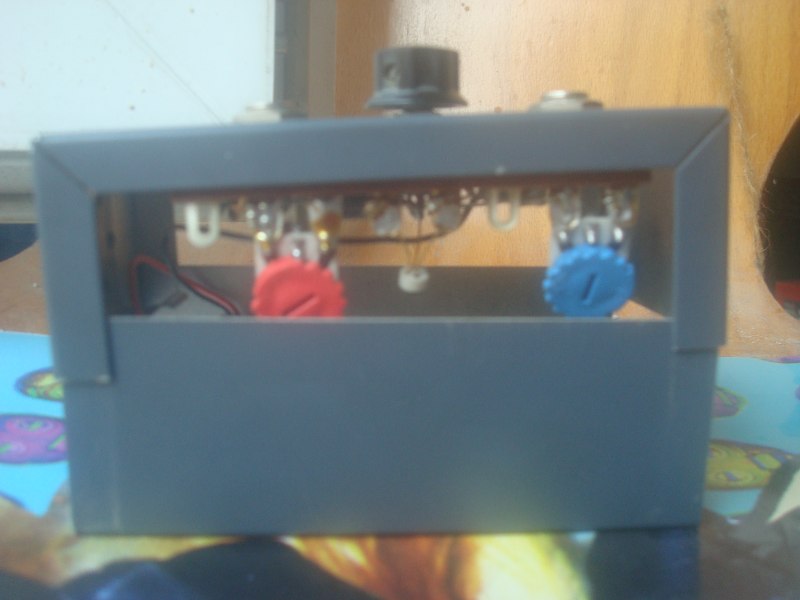
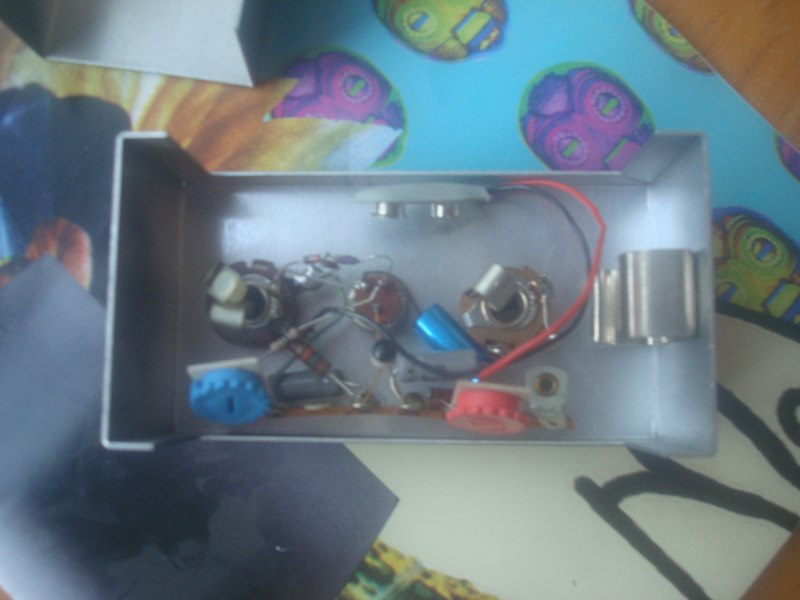 |
Edited by - Dr. Bob on 06/24/2009 15:31:56 |
|
|
|
DeFrag
Moderator

USA
3409 Posts |
Posted - 06/24/2009 : 17:26:16


|
FrenchBOSS: The image-code looks like this:
[img]uploaded/FrenchBOSS/DSC026742.jpg[/img]
Notice the image-tags surrounding the URL to the image you want to display.
When you edit your posts, look for the following "Insert Image" button in the toolbar  , above where you type your messages. , above where you type your messages.
If you click it, the editor will paste in the image-code for you like this: [img][/img]. Then all you have to do is move your cursor between the two tags & type in the URL (address) of the picture you want to display.
Alternatively, you can "select" an already typed in URL to an image & subsequently click on the "Insert Image" button as stated above. This will automatically prepend the [img] & append the [/img] to the image URL. |
Edited by - DeFrag on 06/24/2009 17:36:35 |
|
|
|
FrenchBOSS
Bronze Member
France
68 Posts |
Posted - 06/24/2009 : 18:54:53
|
quote:
Originally posted by DeFrag
FrenchBOSS: The image-code looks like this:

Notice the image-tags surrounding the URL to the image you want to display.
When you edit your posts, look for the following "Insert Image" button in the toolbar , above where you type your messages.
If you click it, the editor will paste in the image-code for you like this: . Then all you have to do is move your cursor between the two tags & type in the URL (address) of the picture you want to display.
Alternatively, you can "select" an already typed in URL to an image & subsequently click on the "Insert Image" button as stated above. This will automatically prepend the  to the image URL. to the image URL.
Ok, now i think i understood, thanks
(that should be in the FAQ) |
|
|
|
Dr. Bob
Moderator
Australia
6593 Posts |
Posted - 06/25/2009 : 09:43:11
|
Moved from "Off Topic" to "Non Boss Gear Discussions".
Moderator |
|
|
|
FrenchBOSS
Bronze Member
France
68 Posts |
Posted - 06/25/2009 : 19:37:40
|
Ok, so, no body knows what i'm looking for??
I'm talking about the captor that has to be sticked on the table of acoustic guitar and then plugged in the INPUT of the barcus berry
(sorry for the quality of the pictures, but the camera made a complete cycle in a washing-machine, it's a miracle it still works) |
|
|
|
Dr. Bob
Moderator
Australia
6593 Posts |
Posted - 06/26/2009 : 14:46:45
|
quote:
Originally posted by FrenchBOSS
Ok, so, no body knows what i'm looking for??
I'm talking about the captor that has to be sticked on the table of acoustic guitar and then plugged in the INPUT of the barcus berry
(sorry for the quality of the pictures, but the camera made a complete cycle in a washing-machine, it's a miracle it still works)
Hi FrenchBOSS
I guess you are talking about some kind of pickup for an acoustic guitar?
Regards Dr. Bob  |
|
|
|
verivorax
Platinum Member

Canada
1185 Posts |
Posted - 06/26/2009 : 15:03:13
|
| It's probably just a passive spot-transducer..you could find something from a variety of companies.. maybe Fishman sells just the spot with a 1/4" jack. Dean Markley makes one (the "artist transducer"), but it's a lot more cumbersome than the little thin discs.. |
|
|
| |
Topic |
|




 Vintage Barcus Berry

